Some Macs can earn a little money in the background by running AI for other people through a network called Darkbloom. BloomGauge is a free app that sets that up for you in a few clicks, shows what your Mac is earning, and quietly keeps it running so it doesn’t sit there earning nothing.
Setup takes about 5 minutes of your time: create a Darkbloom account and BloomGauge does the rest (new to this? start here)
Keeps the model that pays best on your Mac loaded, and recovers when the provider stalls or a load fails
Shows exactly what each model earns, from your Mac or your phone
Free for Apple Silicon. Source-available core on GitHub. Formerly called Bloomkeeper
Needs an Apple Silicon Mac with 48 GB+ memory; macOS 27 recommended. BloomGauge checks this before it installs anything (setup, step by step).
Why BloomGauge
Sets up Darkbloom for you
Checks your Mac, downloads Darkbloom and checks Apple’s signature, loads a model that fits while you sign in, and starts serving. It drives Darkbloom’s own command-line tool, so you never have to.
Keeps your Mac earning
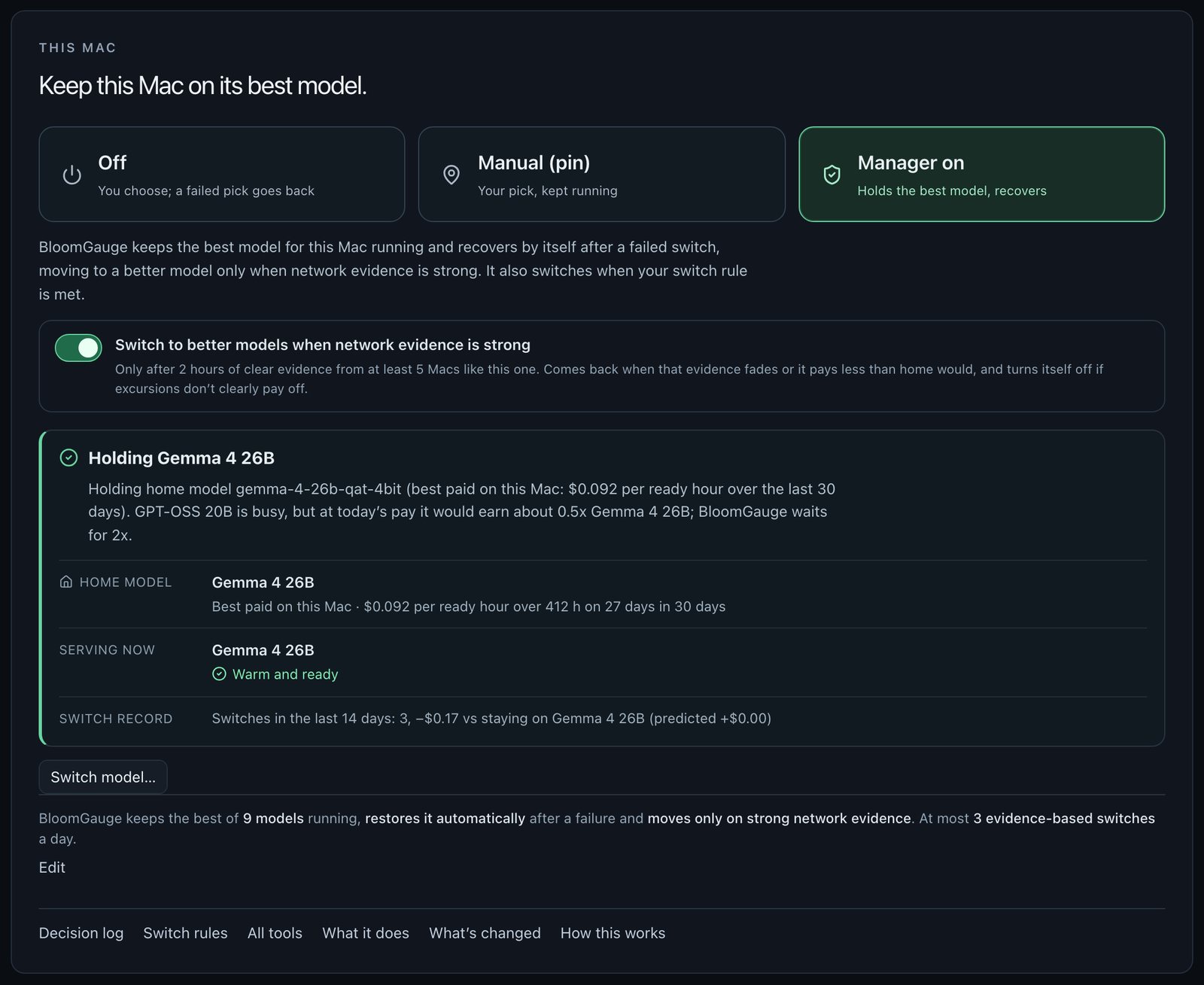
Manager on keeps the model that has paid best on your Mac. Guardian reloads it after an idle unload, restarts a stuck provider (a few times an hour at most) and tells you why a Mac isn’t earning.
Answers, not just numbers
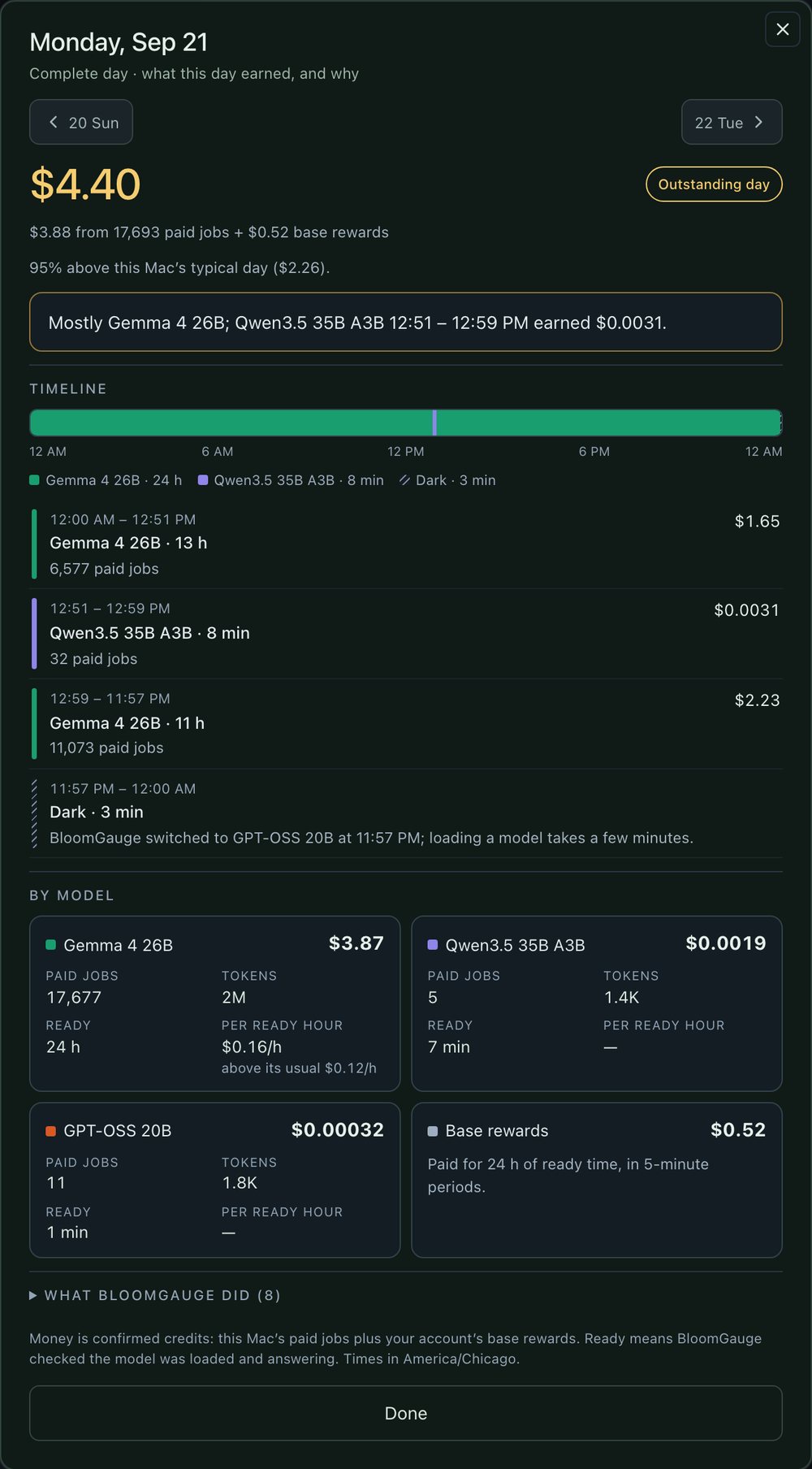
Confirmed earnings per model and hour, base rewards kept separate, a live Pulse against your usual rate and demand for every model, so you know why a day was good or bad.
Built on Darkbloom’s official provider and updated alongside its releases. Compare it with other tools in Darkbloom apps for Mac.
Real screens from the app
See exactly what your Mac is doing.
New
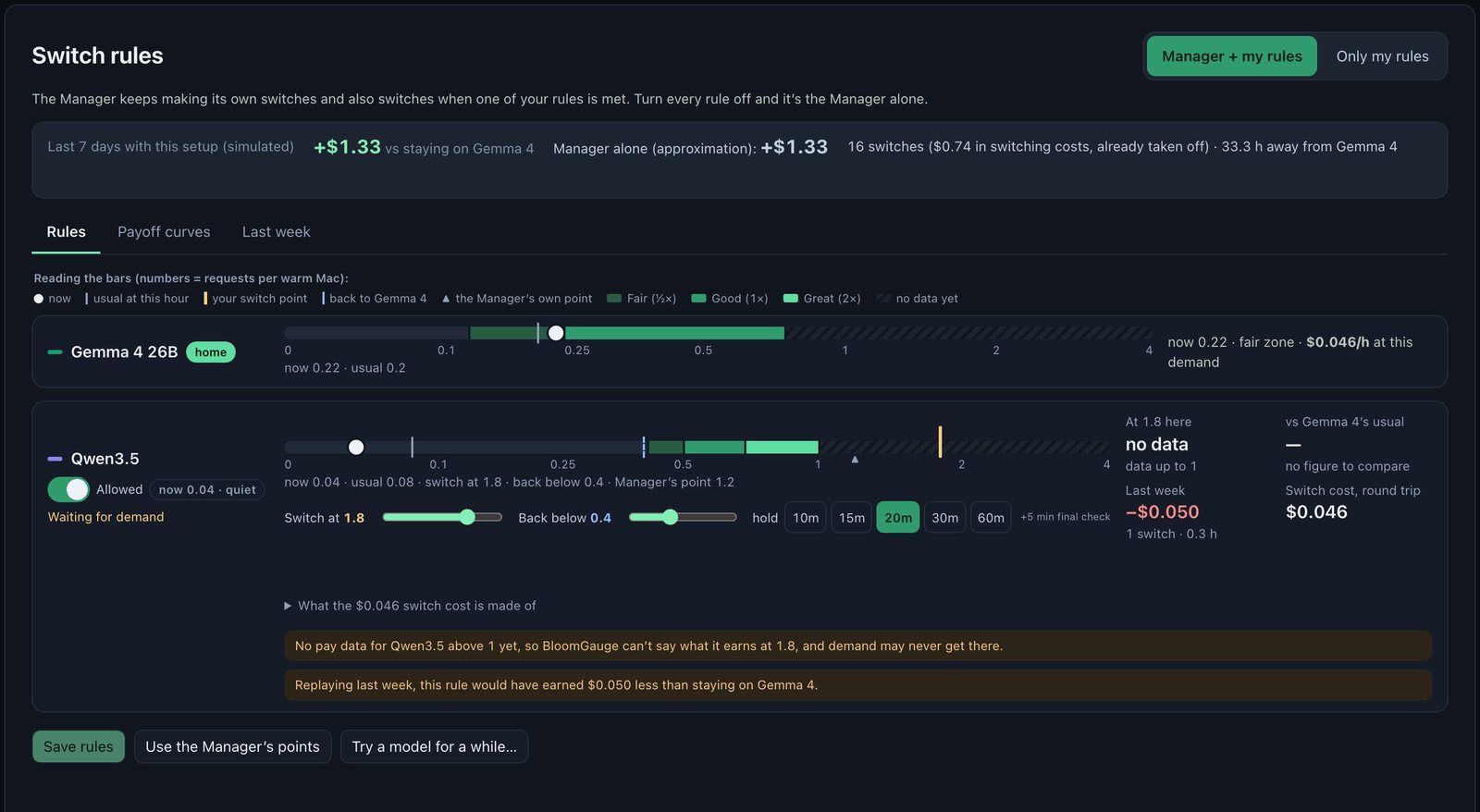
Switch rules: your own switch points
Say when to leave your home model for another one, and when to come back. Each model gets a bar on a ruler of network demand, coloured by what it pays compared with your home model.
Drag a switch point and a return point, pick how long demand must hold
See what the model pays there, the round-trip switch cost and how long a stay must last to earn it back
Last week replayed: what the rule would have earned against staying home
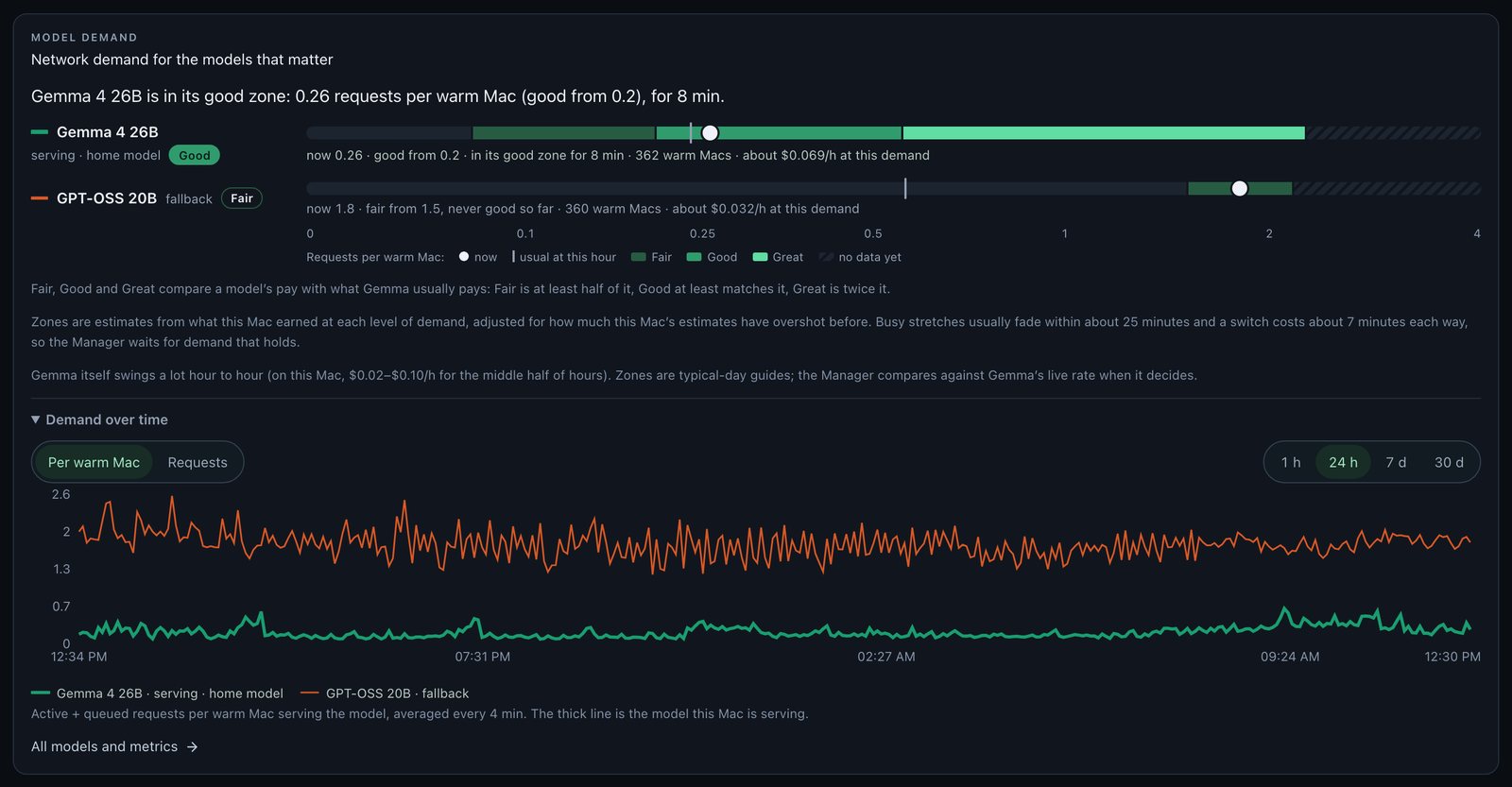
A glance card for the models that matter: how busy each one is right now against its usual for this hour, and where its pay turns Fair, Good or Great compared with Gemma.
Requests per warm Mac on one ruler for every model
How long the model has been in its good zone, and what it pays at today’s demand
Real captures from the app. Pick a feature to see it, or see every feature.
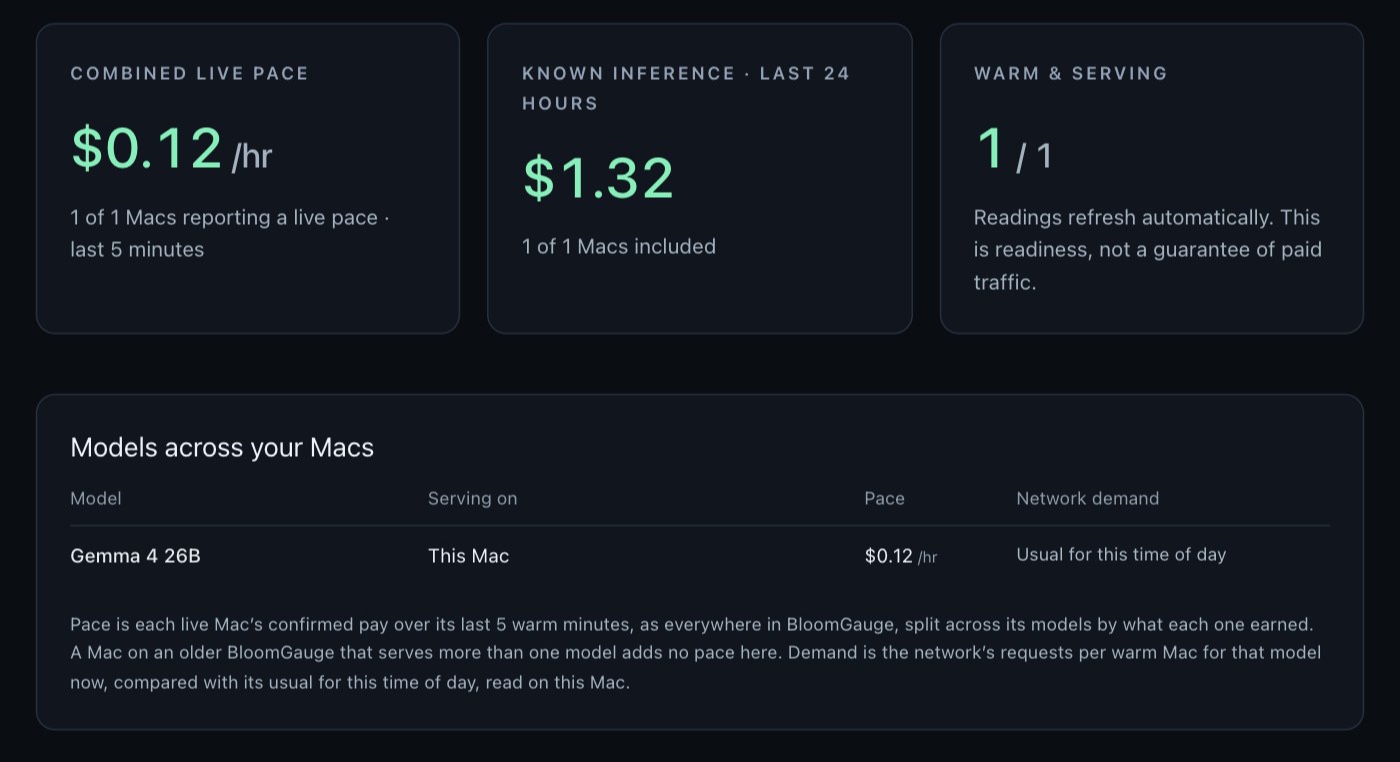
Credits show up as they land. See which model is serving, cents per hour right now, and how busy the network is for that model compared with its usual for this time of day.
Download BloomGauge
BloomGauge downloads and sets up Darkbloom for you. All you do is create a Darkbloom account (or sign in to yours). About 5 minutes of your time, no Terminal; the model finishes downloading in the background. Then it picks the best-paying model for your Mac; you can turn the Manager off any time.
Apple Silicon Mac · macOS 14 or later · Signed and notarized by Apple. Early beta.
BloomGauge runs on macOS 14+. To earn with Darkbloom you need an Apple Silicon Mac with 48 GB+ memory. Darkbloom accepts macOS 26, but update to macOS 27 first: it skips the MDM profile step, which Darkbloom is retiring.
The Darkbloom Slack is where providers compare earnings, Darkbloom’s team posts updates and answers questions, and #bloomgauge is the place for BloomGauge help, tips and release news. It’s free.