Watch it earn
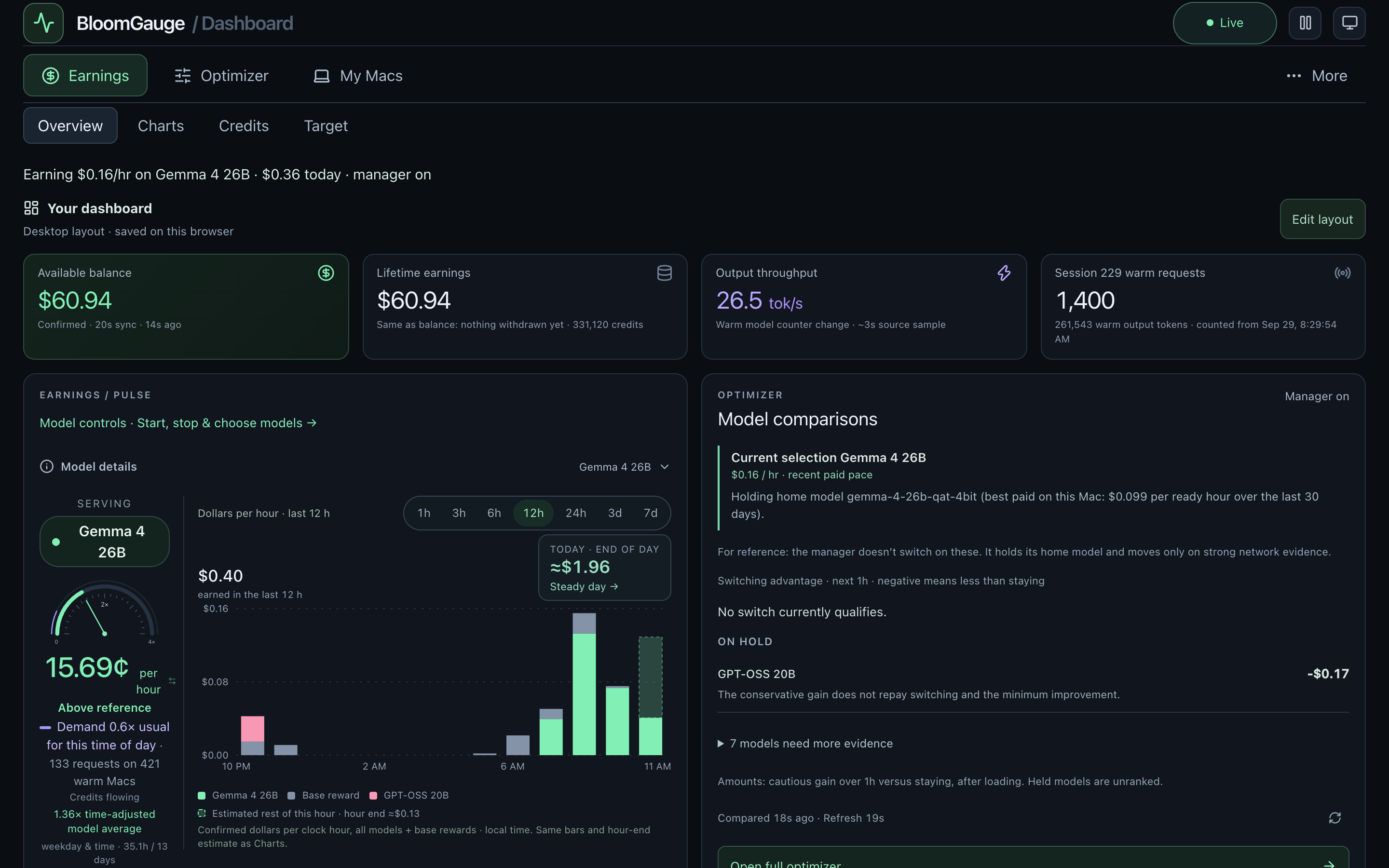
Credits show up as they land. See which model is serving, cents per hour right now, and how busy the network is for that model compared with its usual week.
BloomGauge runs your Darkbloom Mac for you, no Terminal needed. It keeps the model that pays best on your Mac loaded, recovers when the provider stalls or a load fails, and shows exactly what each model earns, from your Mac or your phone. Free and open source for Apple Silicon. Formerly called Bloomkeeper.
Needs a running Darkbloom provider. Set one up
WHY BLOOMGAUGE
Start, stop and switch models, and fix a stuck provider, from a window on your Mac or your phone. BloomGauge drives Darkbloom’s own command-line tool for you.
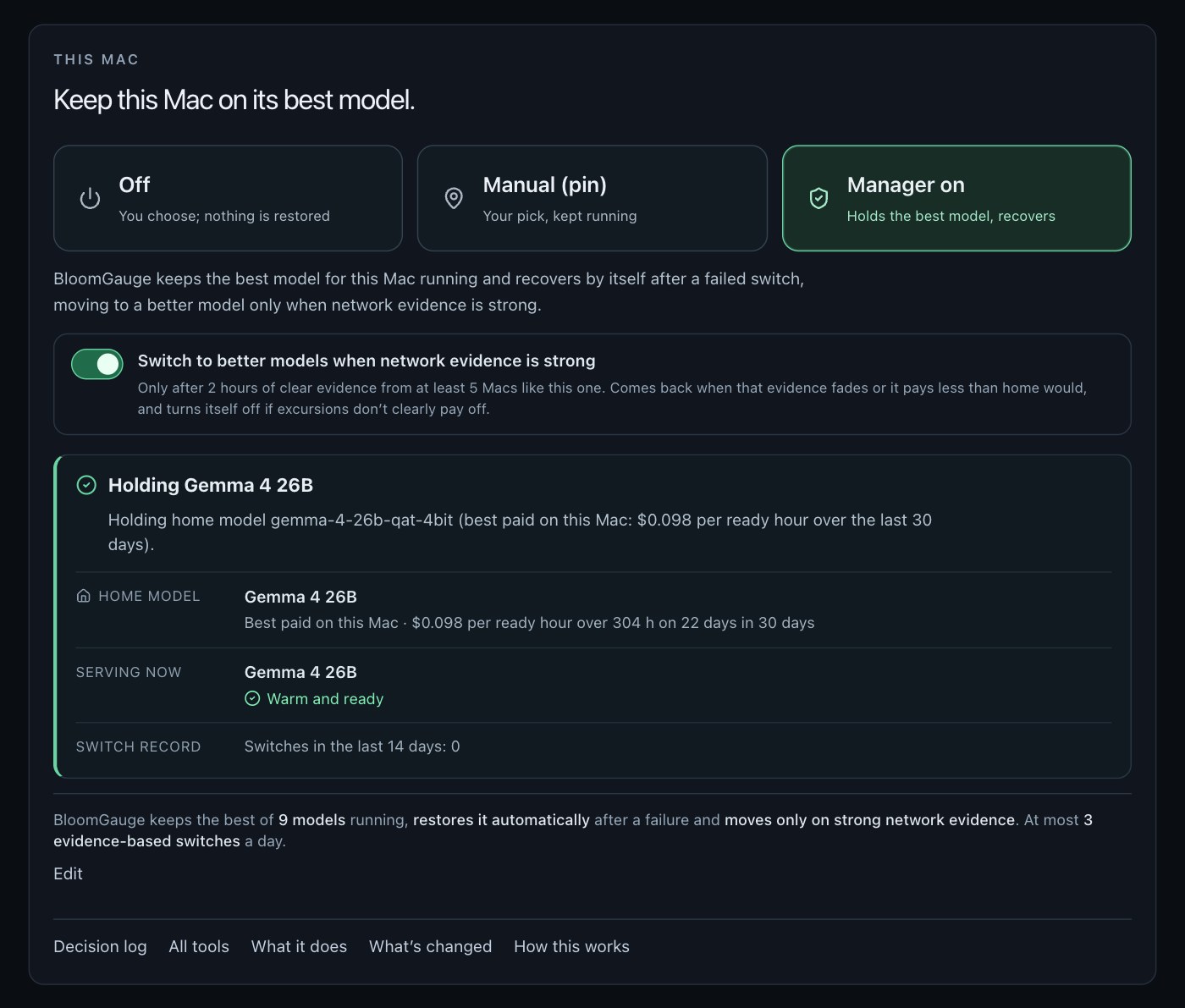
Manager on keeps the model that has actually paid best on your Mac, restores it after a failed load, restarts a provider left drained, and moves only on strong network evidence.
Confirmed earnings per model and hour with base rewards kept separate, a live Pulse against your usual rate, and demand for every model, so you know why a day was good or bad.
Built on Darkbloom’s official provider and updated alongside its releases. Compare it with other tools in Darkbloom apps for Mac.
Credits show up as they land. See which model is serving, cents per hour right now, and how busy the network is for that model compared with its usual week.
See which models the network is asking for, and change the time range to tell steady demand from a brief spike.
Choose Manager on and BloomGauge holds the model that pays best on your Mac, recovers by itself when a load fails, and moves only when Macs like yours have clearly earned more on another model. Every stay or switch comes with a reason, and Off is always one click away.
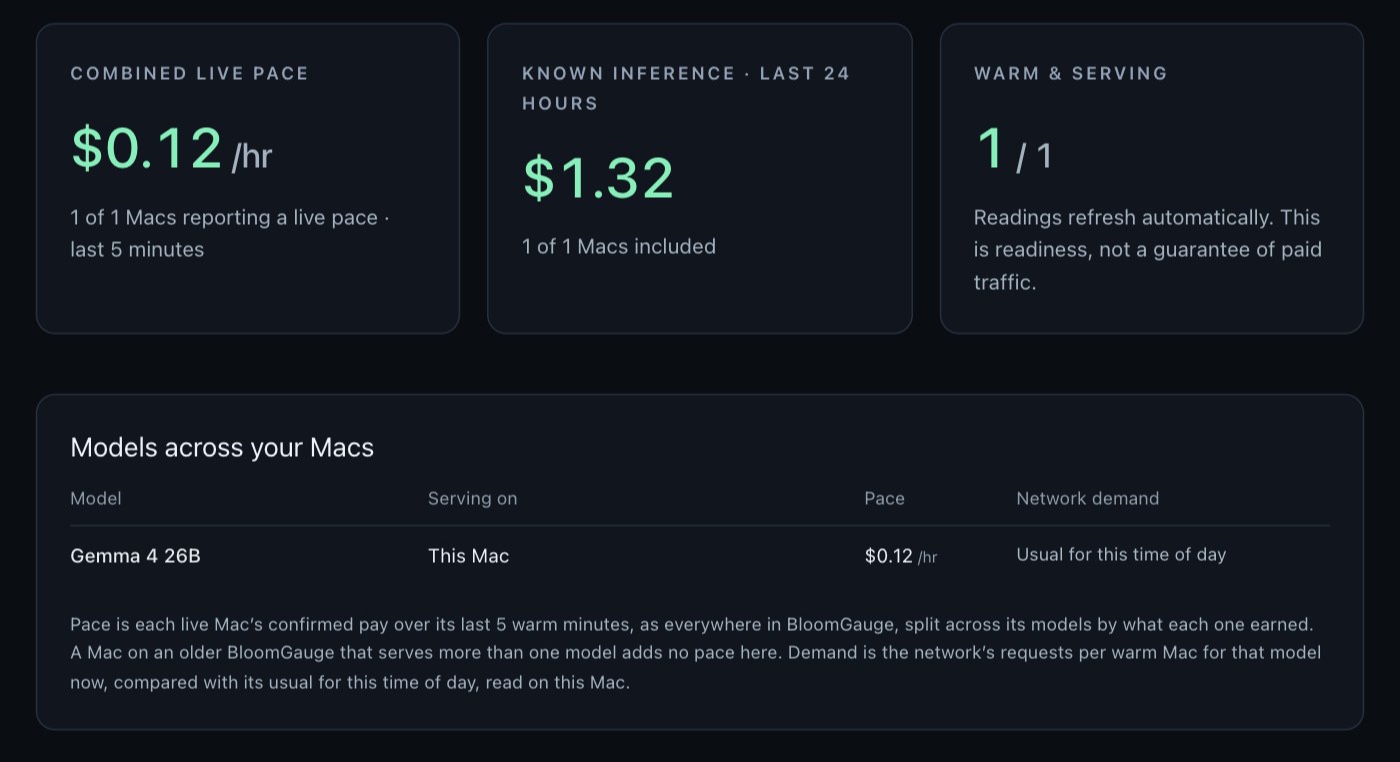
Running more than one Mac? My Macs brings up to ten together over your own Tailscale connection: combined pace, what each Mac is serving, and how busy each model is right now.
Open your dashboard over your own Tailscale connection and change models from anywhere. Your Mac keeps doing the work.
BloomGauge starts by observing. Nothing switches until you choose Manager on, and updates never turn it on for you.
Apple Silicon Mac · macOS 14 or later · Signed and notarized by Apple. Early beta.